
The member portal
The member portal is the tenants’ own part of nodus. There they book meeting rooms, read the building’s announcements, get help from support and see their network.
Works with PaperCut Hive for printing – members see their print jobs and quota in the portal.
Support with an AI assistant
Members ask their questions in the member portal’s support chat. The AI assistant answers straight away and hands over to staff when needed.
Works with Slack – the AI assistant answers questions and books meeting rooms there too.
- Instant answers from the AI assistant in the support chat.
- A handover to staff when needed.
- Every question is kept as a ticket, with unread replies marked.
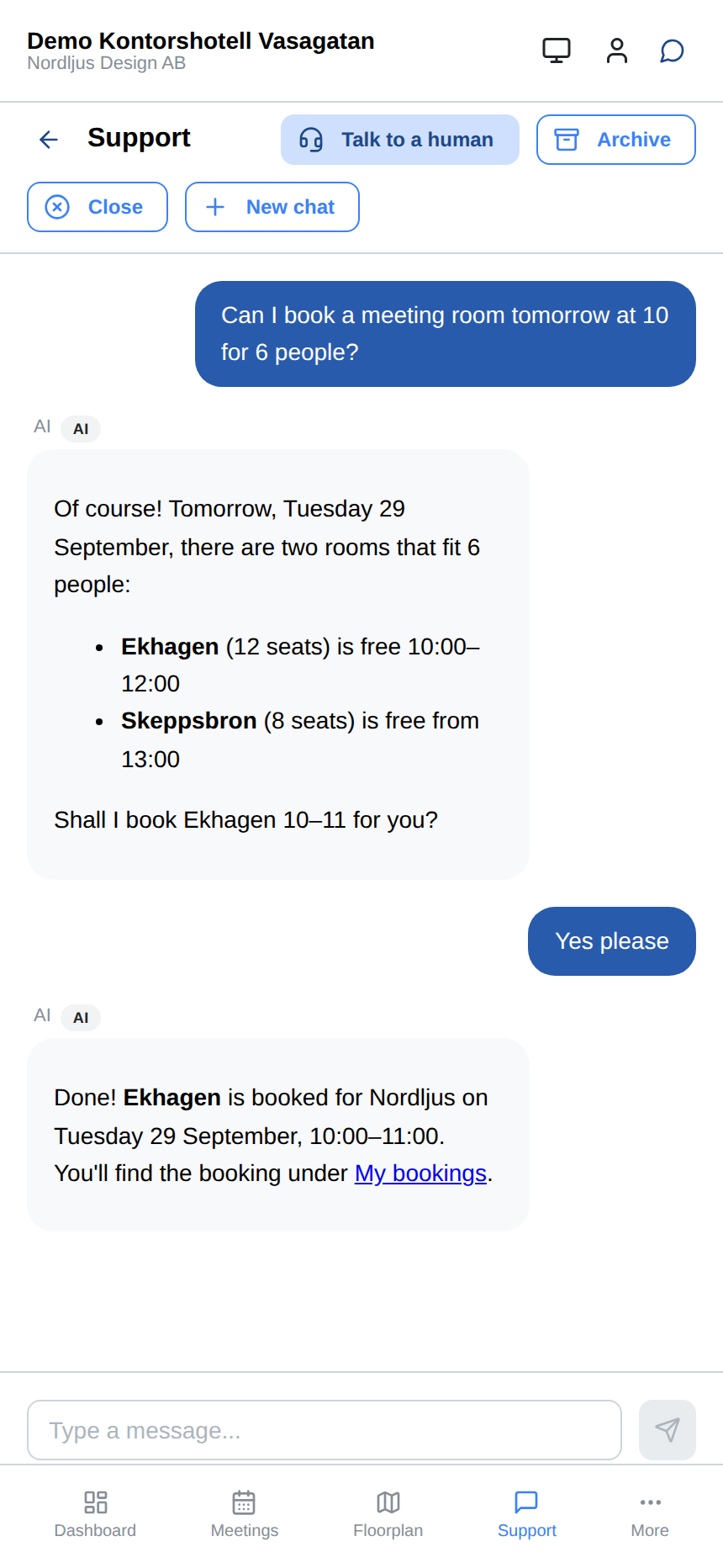
Ask the AI assistant for a free meeting room and it books it for you, right in the chat. 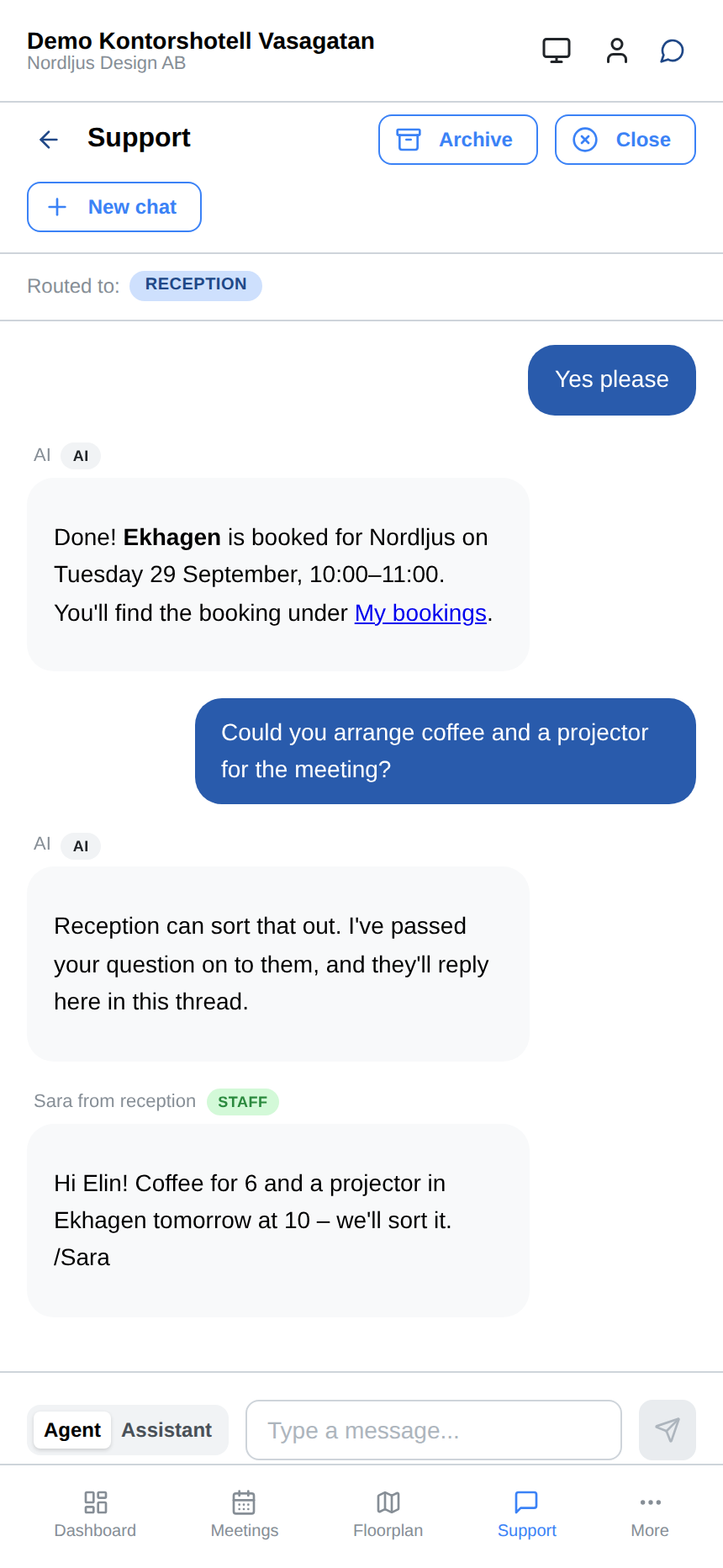
Coffee and a projector for the meeting? The AI hands over to reception, who reply in the same thread. 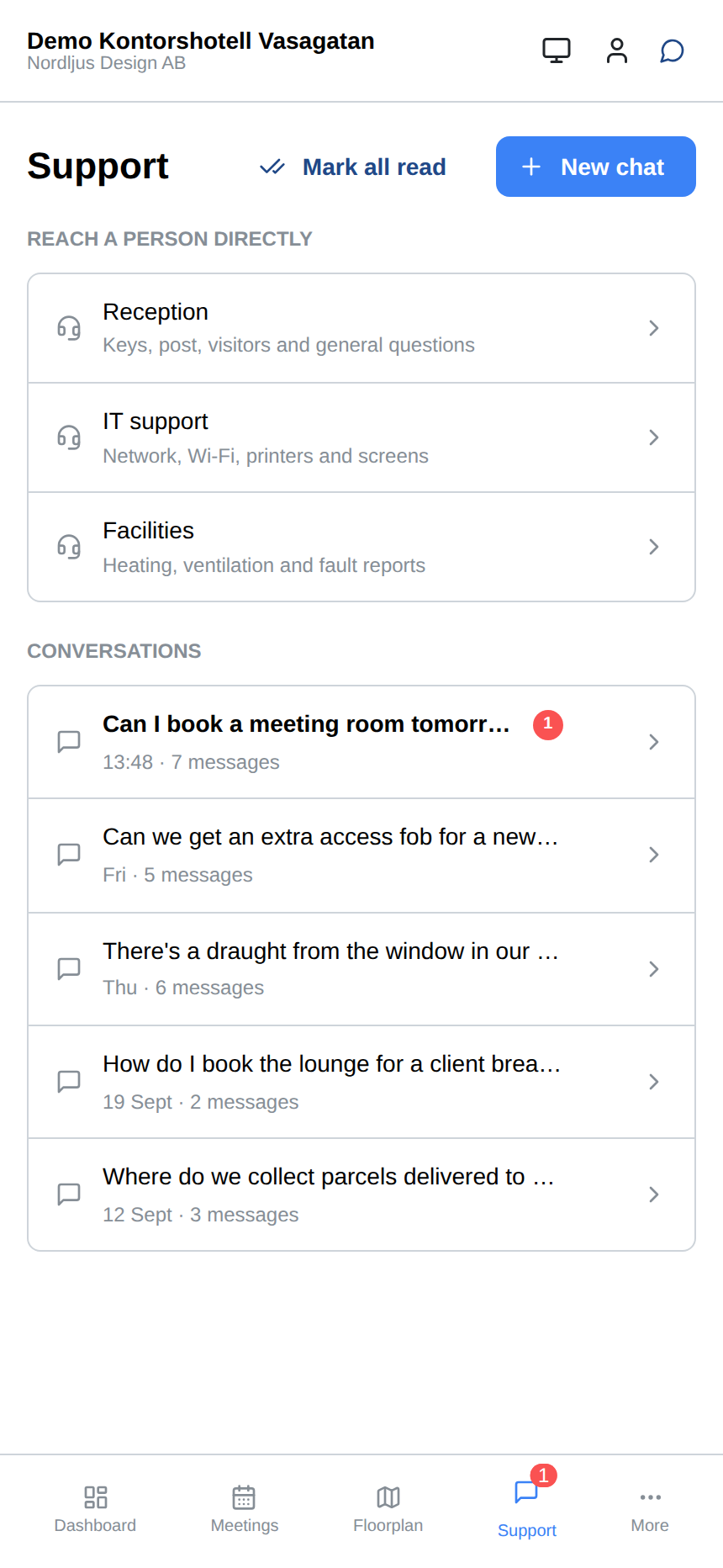
Every request in one place, with unread replies marked and direct lines to reception, IT and facilities.
Meeting rooms and announcements
In the member portal, tenants see which meeting rooms are free, book straight away and read the building’s announcements – on their phone or at their desk.
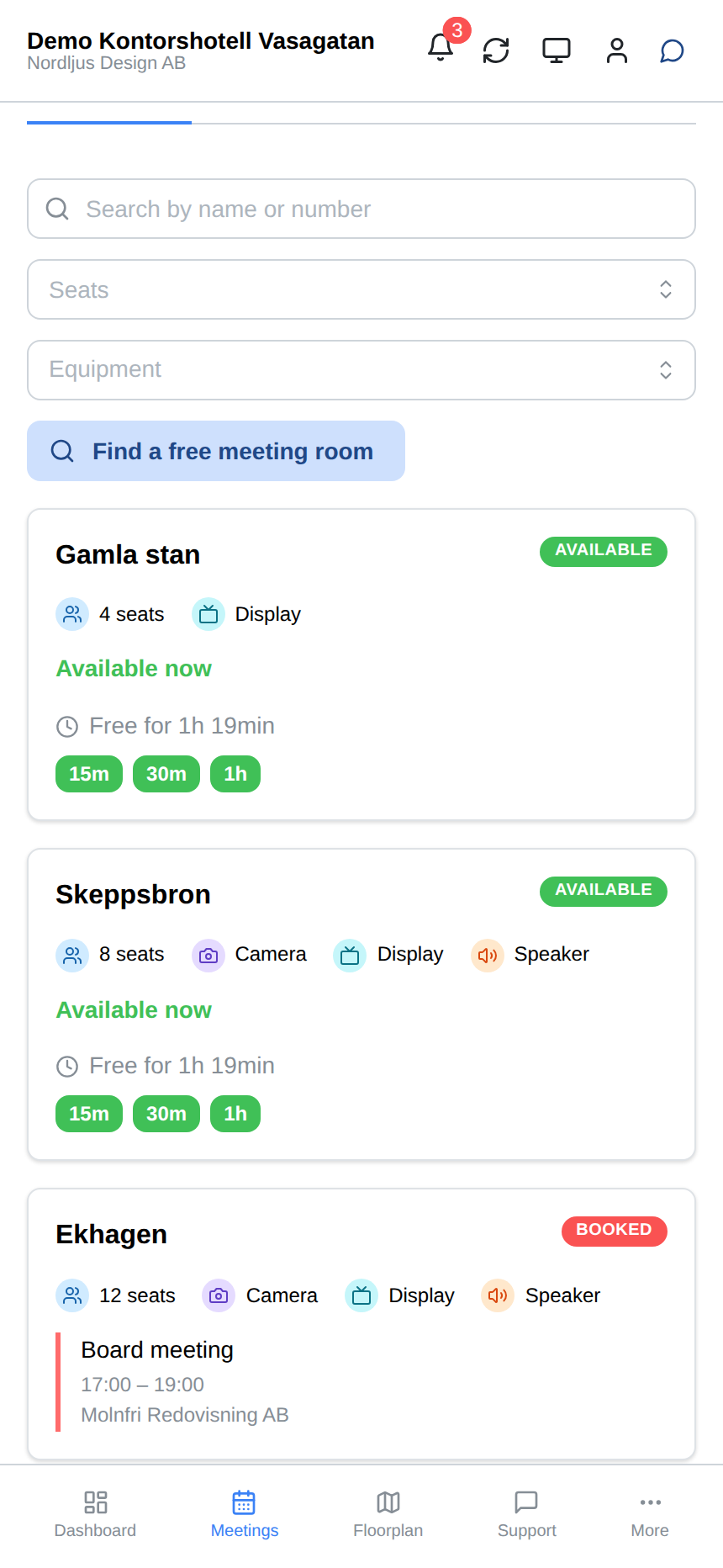
See which meeting rooms are free right now and book straight away. 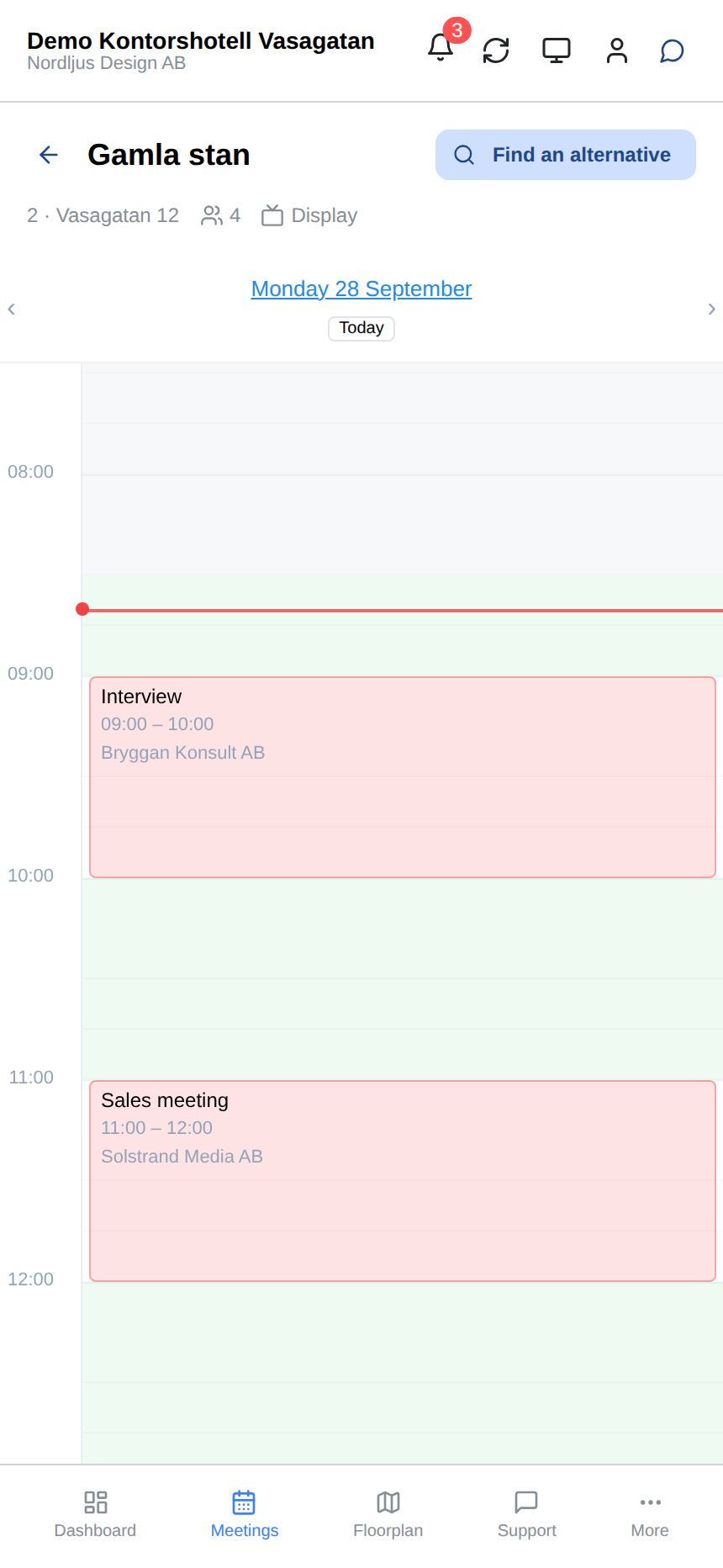
A room's schedule for the day, with free slots to book. 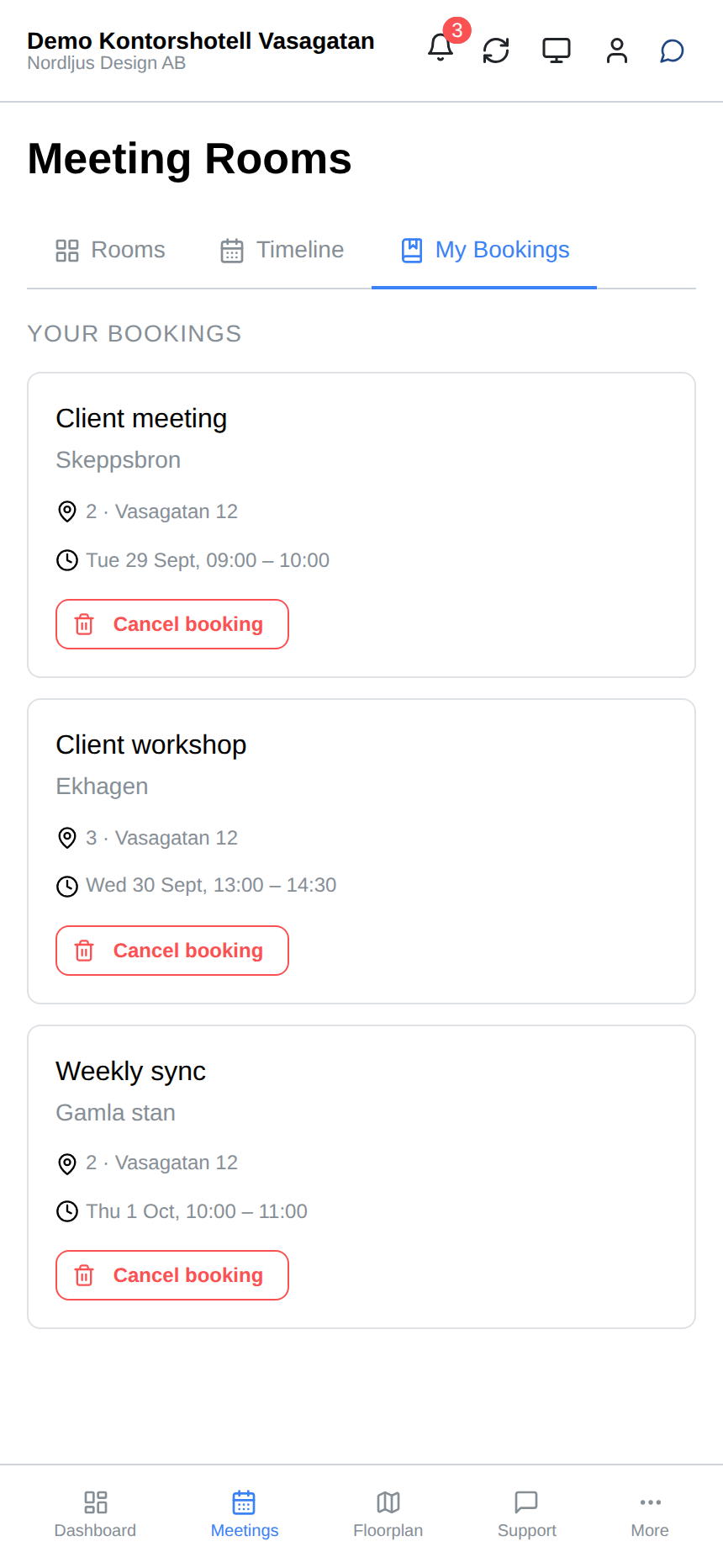
All of the company's upcoming bookings in one place. 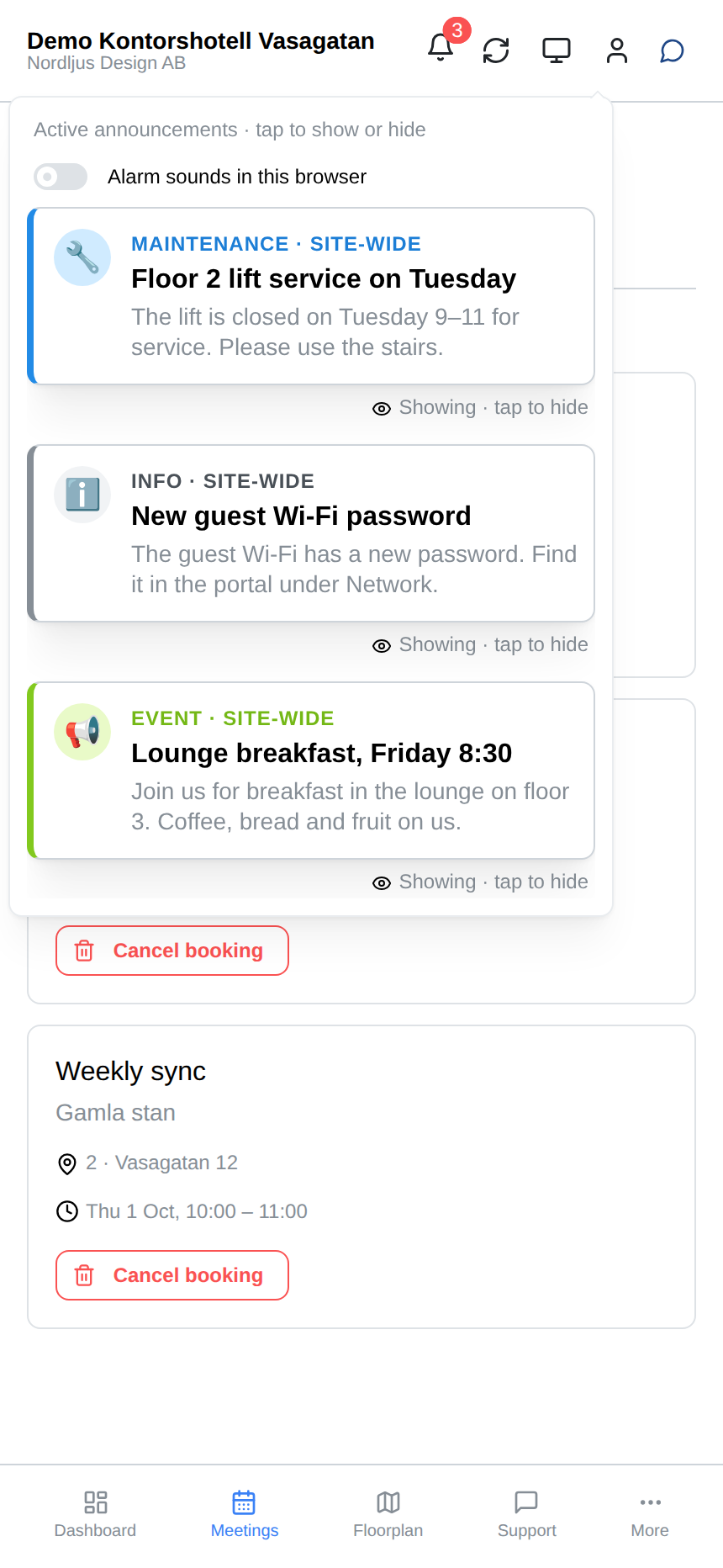
Announcements from the building, such as maintenance and shared events.
Your own network
Every tenant gets a separate network of its own. In the member portal, tenants see their network details, DHCP leases and speed – and find their Wi-Fi.
Works with network equipment from MikroTik, Arista, Aruba Instant On* and UniFi.
* Aruba Instant On has limitations (e.g. number of networks and Wi-Fi names) and is best suited to smaller spaces.
- A separate network of its own for every tenant.
- The network’s details in one place.
- DHCP leases, including static reservations.
- Network speed and plan.
- Wi-Fi details for the tenant’s network.
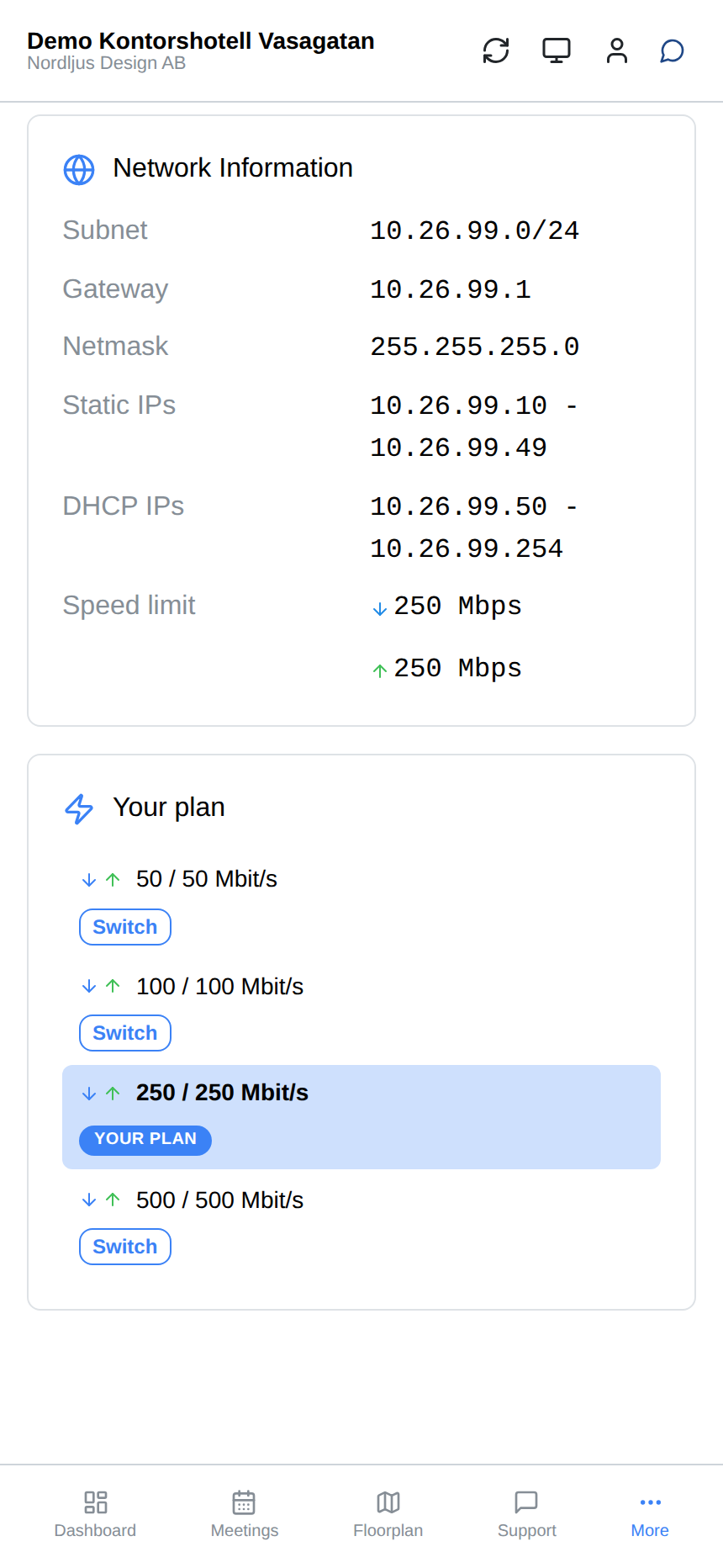
The company's own network with its addresses and speed, and a plan that can be upgraded on the spot. 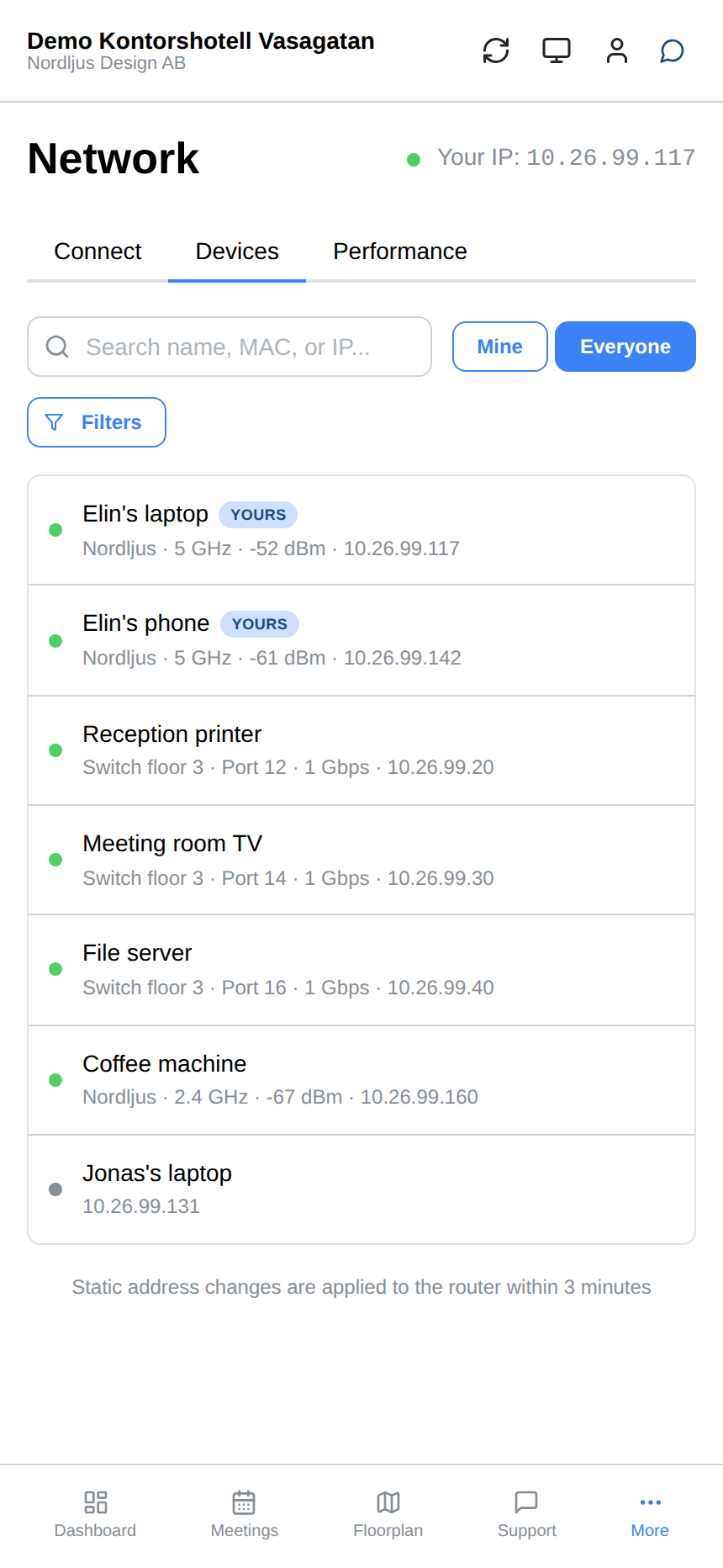
Every device on the network, with its connection and IP address. 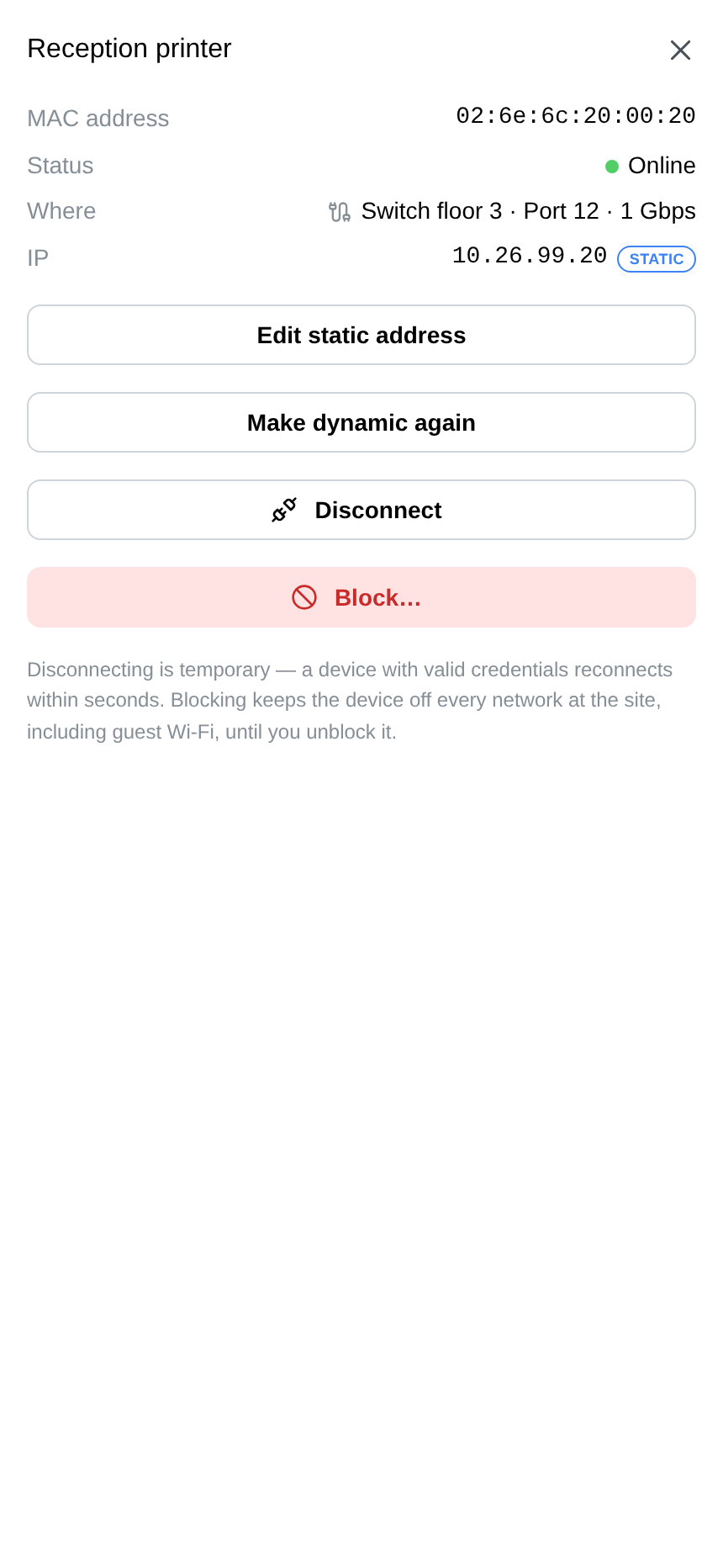
The printer has a fixed address. It can be changed here, and devices can be disconnected or blocked. 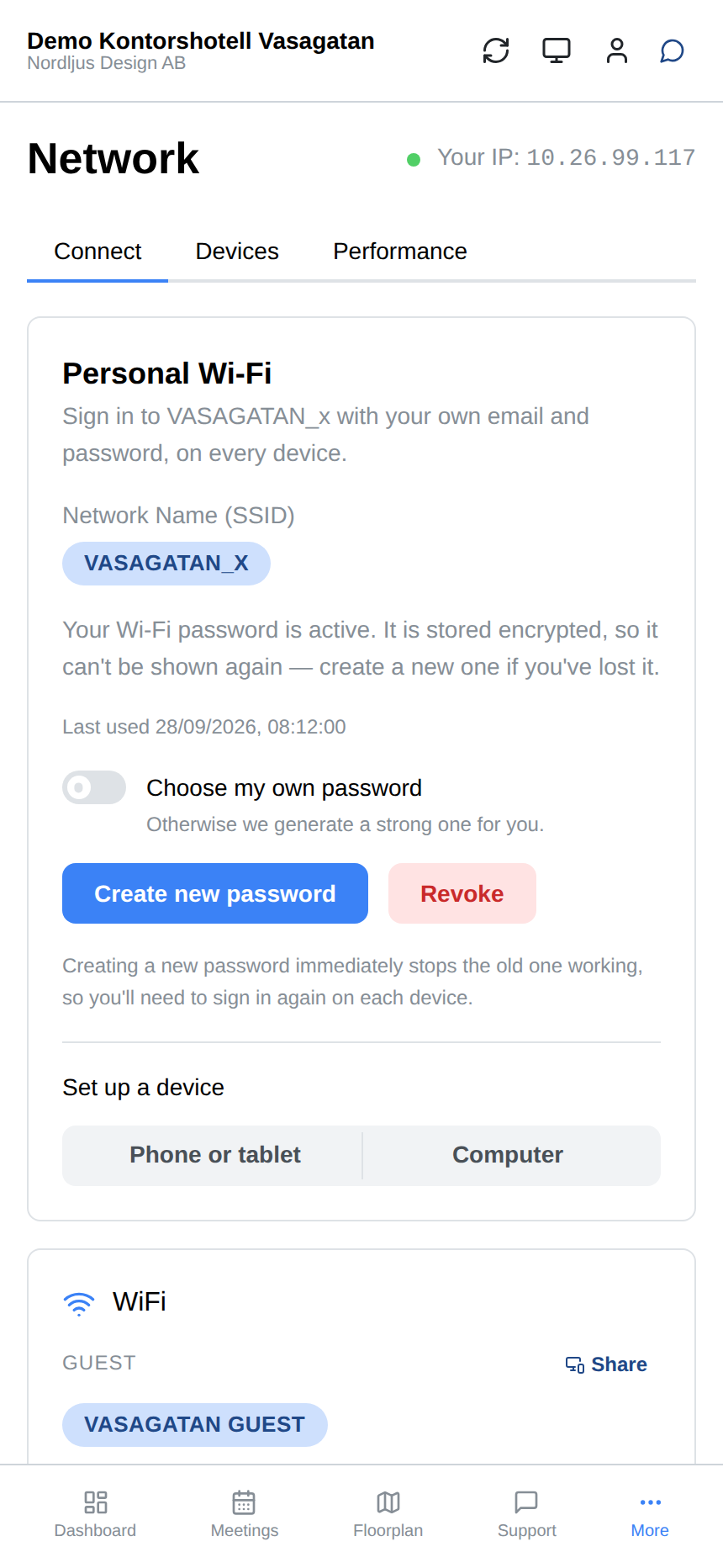
A personal Wi-Fi login for every member, with the building's guest network and the company's own below it.